See what's wrong in the CRM, then fix it with a yes.
Axon syncs HubSpot, finds duplicates, missing fields, and records that need a look, and waits for you to confirm before anything is written.
Monday, and Slack is already on fire
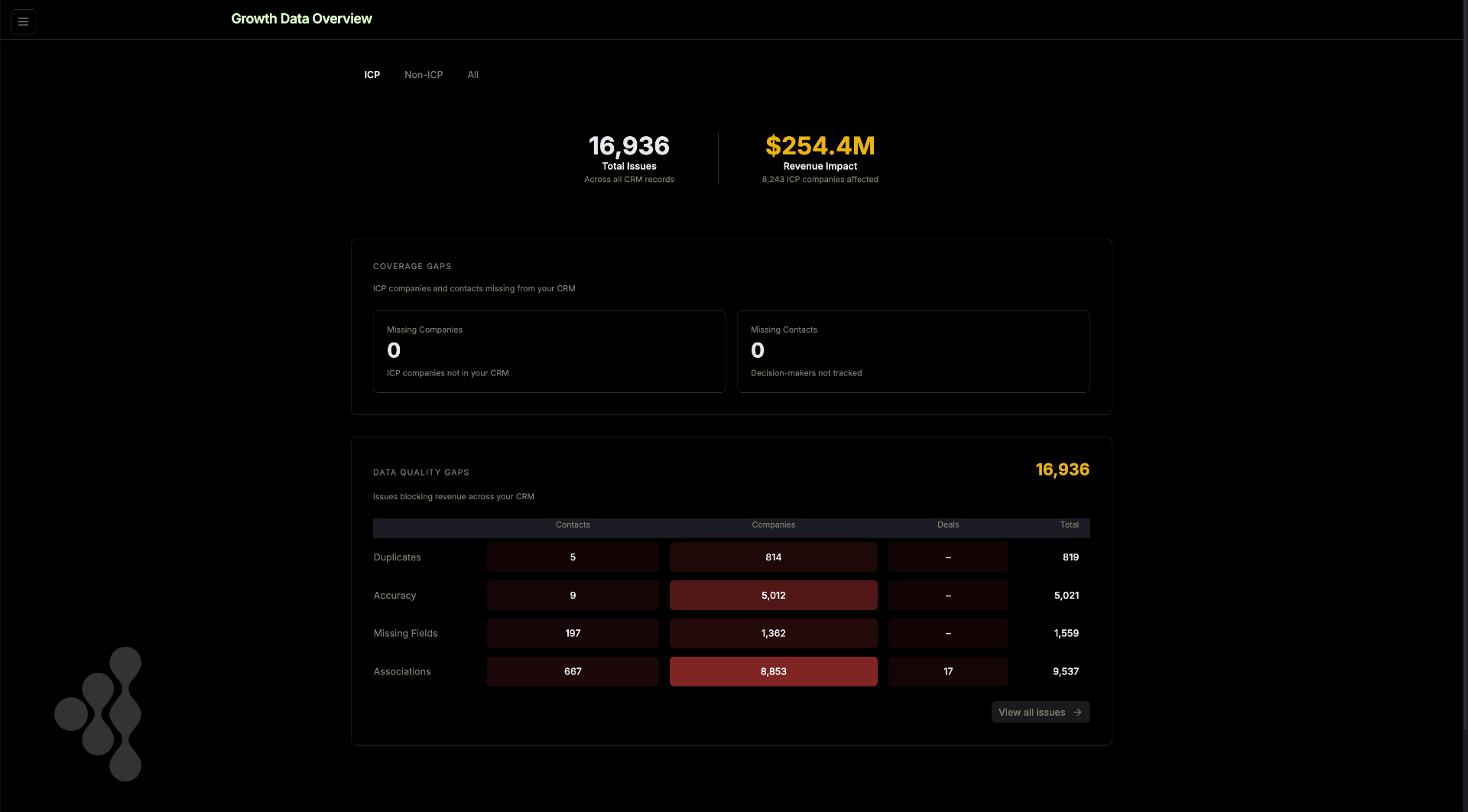
Duplicates, messy records, and a CRM nobody trusts land on your desk. You're asked to fix it before anyone can work the list.
Axon syncs HubSpot and lists the issues, so you can see what's worth fixing first instead of chasing reports from Slack.
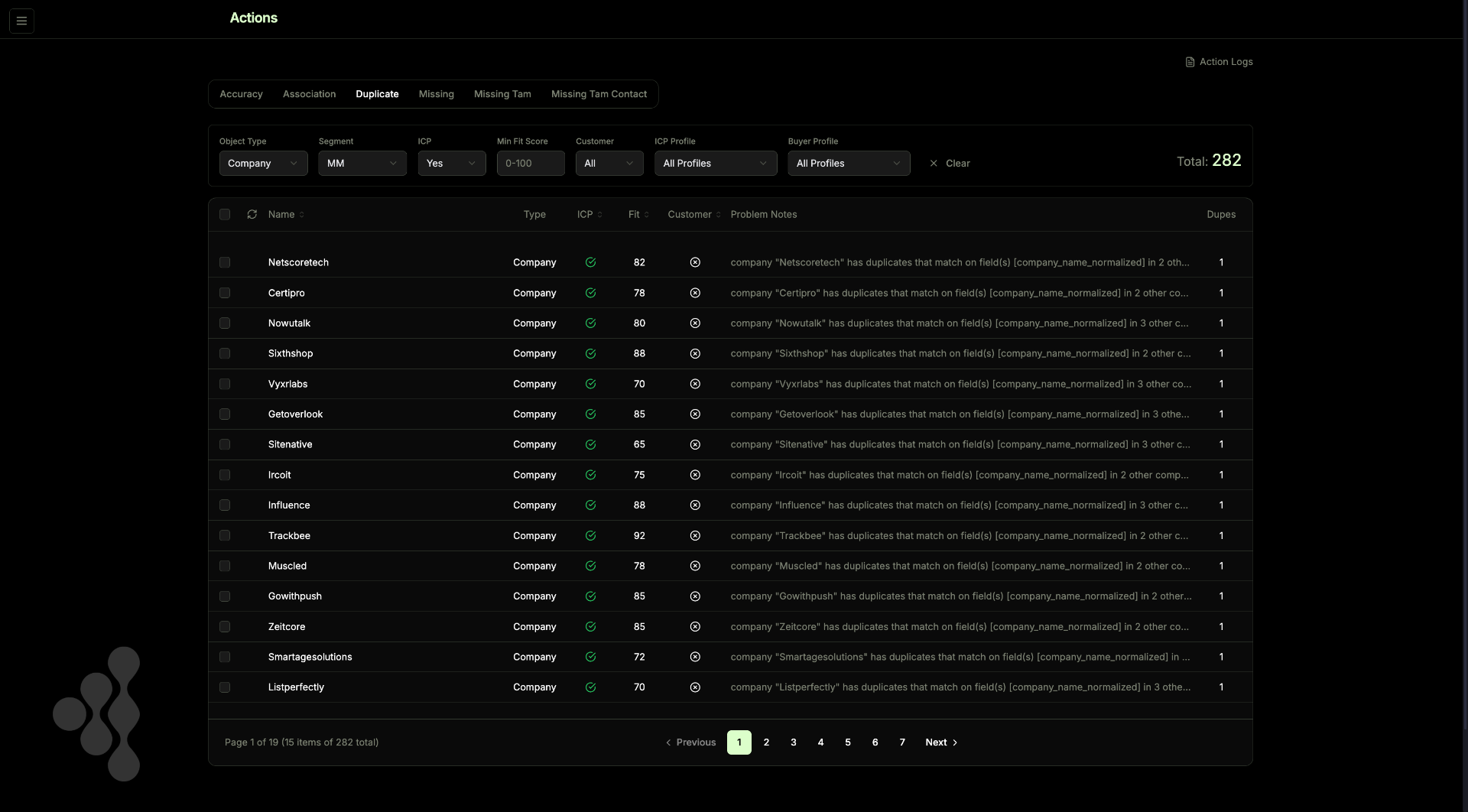
The same person, twice
Reps trip at the starting line when the same person or company shows up more than once, and they come to you to sort it out.
Duplicate pairs are listed with a confidence score. You preview a merge, then approve it. Nothing in the CRM changes until you say yes.
Fields that are empty, or lying
Segment, fit, and other fields that reports depend on are blank, inconsistent, or out of date. Dashboards start to drift.
Blank fields can be filled where Axon already has a value, after you approve. Companies can be scored against the ICP so the CRM has a consistent axon_ field to filter on.
A cleanup that drifts, with no trail
Point-in-time cleanups don't last, and it's hard to show what changed, when, and why.
Fixes run as jobs through the API, the same way every time. An audit log records the field, the old value, the new value, when it ran, and which job. Wrong owners and missing associations are found and flagged, so you can review them.
How it works
Sync HubSpot into Axon
An org admin connects HubSpot. A sync is a separate step. Connecting the app does not start a sync on its own.
Review the issues
See duplicates, missing fields, and other problems. Preview a fix before anything is written.
Confirm, then check the log
You approve the write. Axon runs the job and logs it. You can check status or cancel a running job.
Questions
Will Axon write to HubSpot without me?
No. Nothing is written until you confirm. Owners and associations are found and flagged, not quietly changed.
Is this only for HubSpot?
HubSpot is first. Other CRMs come later. Attio is supported if you want axon_ fields pushed there too.
What does the audit log include?
The field that changed, the old value, the new value, when it ran, and which job. You can also check the status of a job, or cancel one that is still running.
Can sales still use Axon in Claude?
Yes. The same ICP and scores the team uses in Claude are the ones you can write back into the CRM, after you approve. Axon is the layer that keeps that revenue data consistent.
See the issues first. Then decide what to write.
Sync HubSpot, review the list, and confirm before anything changes.