Co-sell the partner overlaps that actually fit.
Axon writes a fit score, segment, and ICP flag onto your CRM records. Filter your Crossbeam overlaps by them and spend your warm intros on the partner accounts worth working first.
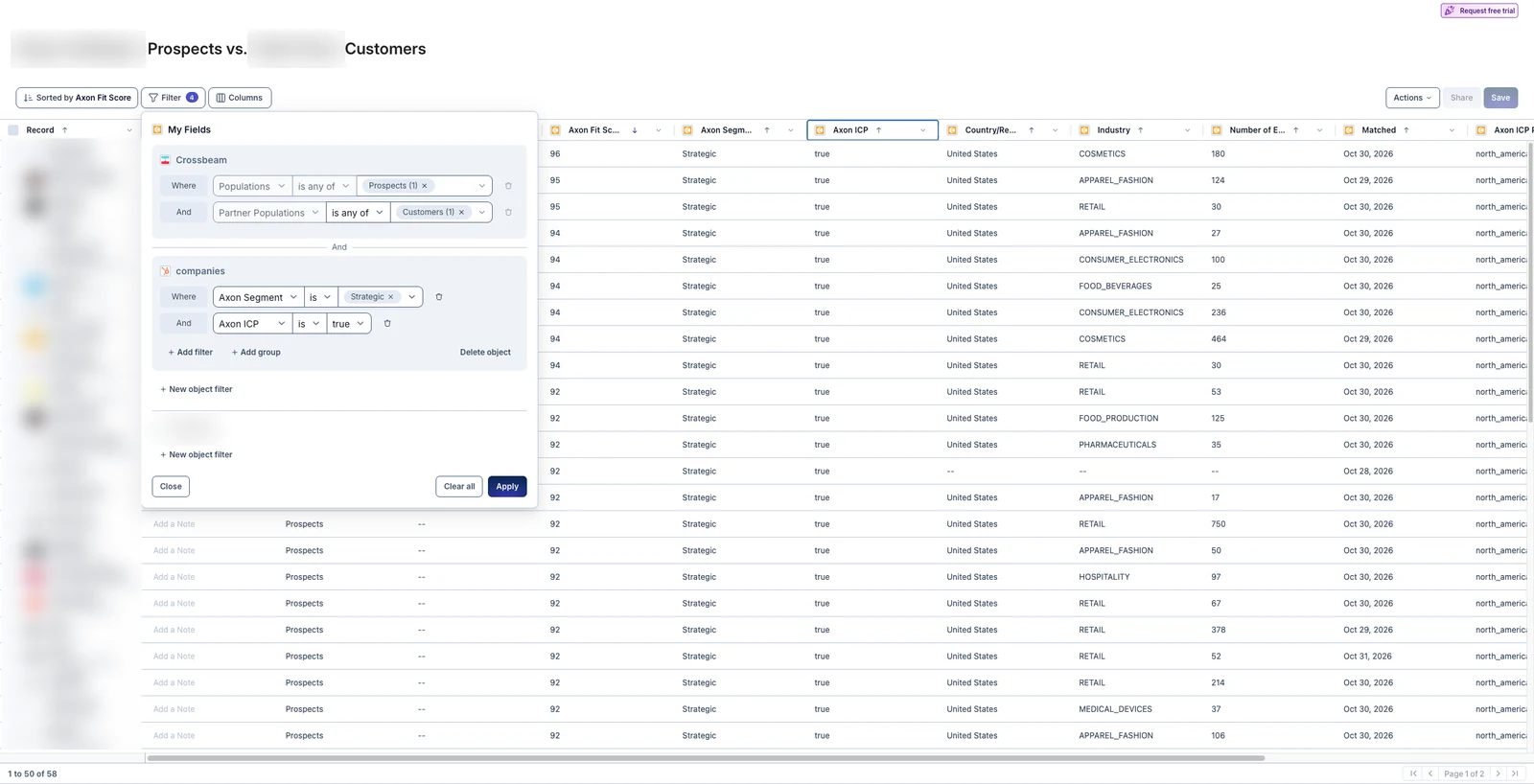
Know which overlaps to work first
Account mapping turns up a long list of overlaps. Every one looks like an opportunity, and there's no clear way to tell which deserve a partner's time.
Each account carries an Axon Fit Score from 1 to 100, with the reason behind it, so you can sort your overlaps and start at the top.
Filter overlaps by fit, right in Crossbeam
Fit lives in someone's head or a side spreadsheet, so it never makes it into the account mapping report.
Axon Fit Score, Axon Segment, and Axon ICP are fields on your CRM records. Crossbeam reads them like any other field, so you can narrow a prospects vs. partner customers report to Strategic accounts that match your ICP.
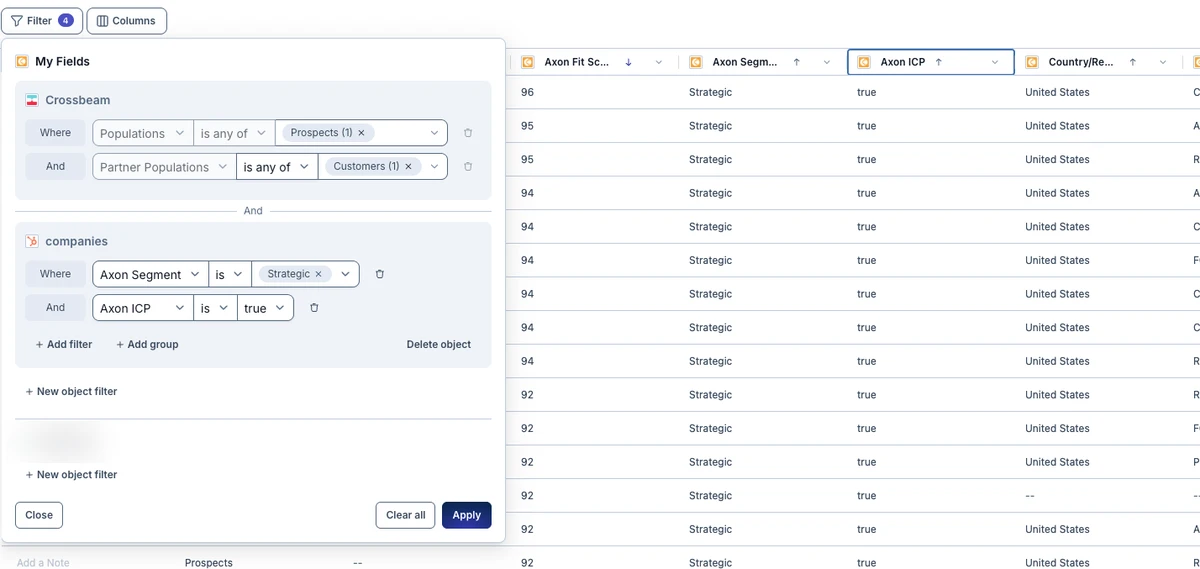
Ask partners for the intros that matter
You only get so many asks before a partner's goodwill runs thin. Spending them on accounts that don't fit costs you the relationship.
Bring each partner a short list of overlaps that fit your ICP, with the segment and the reason behind each score, so every warm intro request is worth their time.
Partner pipeline that sales will work
Partner-sourced and partner-influenced accounts get handed to sales and stall, because reps can't see why the account is worth chasing.
The overlap carries the same fit score and segment sales already uses, so a partner account shows up in the queue as a fit, with the reason attached.
How it works
Score your accounts
Approve your ICP. Axon scores the companies in your CRM, starting with HubSpot, from 1 to 100 and assigns each one a segment.
Write the Axon fields to your CRM
After you approve, Axon writes fit score, segment, and ICP fields onto your records. Make sure they are part of the CRM data Crossbeam syncs.
Filter overlaps and co-sell
In an account mapping report, filter by Axon Segment, Axon ICP, or Axon Fit Score, and take the shortlist to your partner.
Questions
Do partners see our Axon scores?
You decide what you share with each partner in Crossbeam. The Axon fields are your own CRM data, so you can filter your overlaps by them whether or not you share them.
Which CRMs does this work with?
Axon works with HubSpot first. Other CRMs come later. Attio is also supported. Fields from Axon start with axon_, so you can always tell what is ours.
Will Axon change our records without asking?
No. Nothing is written until you confirm. Owners and associations are found and flagged, not quietly changed.
Can Axon score accounts that aren't in our CRM yet?
Yes. Axon can find companies that match your ICP, including ones not in the CRM yet, and score them on the same 1 to 100 scale.
Bring partners the overlaps that fit.
Score your accounts, filter Crossbeam by the Axon fields, and spend partner asks where they count.