Agent-Ready CRM Checklist: 12 Points to Check Before Agents Read Your Data
This agent-ready CRM checklist tells you whether an AI agent can act on any record without a person double-checking it. Twelve checks cover it: records are unique, related records agree, the fields agents read are filled and labeled, and something keeps it that way continuously. Fail more than a few, and fix the data first.
This checklist is built for RevOps and sales leaders at sales-led HubSpot teams who are rolling out lead routing, account research, rep follow-up or pipeline agents. Work through it in order. The first group causes the most visible agent mistakes.
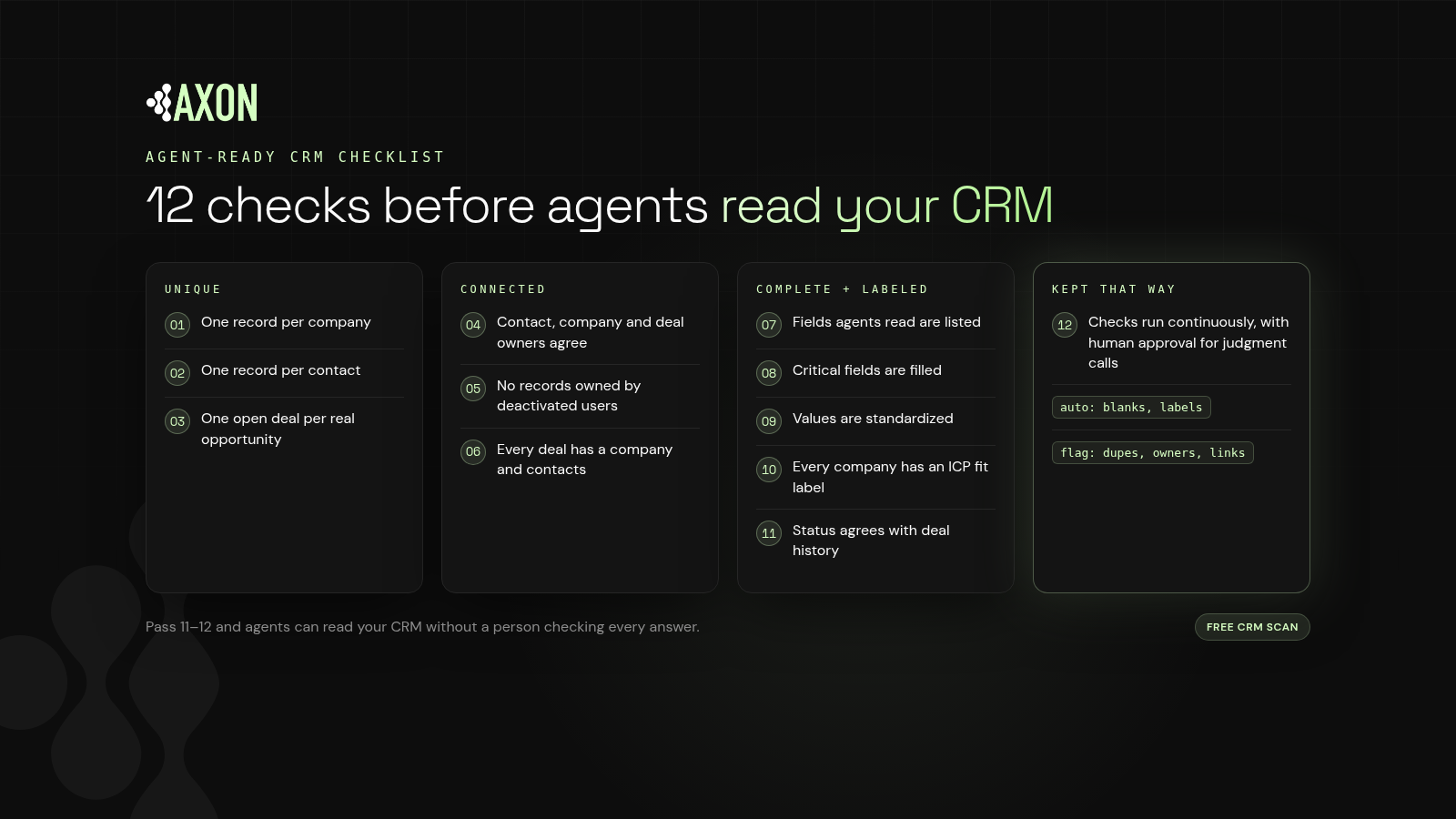
Figure: Twelve checks in four groups: unique, connected, complete and labeled, and kept that way. Pass all twelve and agents can read your CRM without a person checking every answer.
Definition: An agent-ready CRM is a CRM whose records are unique, consistent with each other, complete in the fields agents use, labeled with shared meaning, and monitored continuously so they stay that way.
Checks 1–3: are your CRM records unique?
1. One record per company
Search for companies that share a domain or a near-identical name (our HubSpot duplicate cleanup guide covers the built-in tools). Duplicate companies split contacts, deals and activity across records. An agent reading one sees half the story.
Pass if: likely duplicate companies are flagged and reviewed on an ongoing basis, not once a year.
2. One record per contact
Look for people who appear under a work and a personal email, or under an old and a new job. Email-based deduplication alone won't catch these.
Pass if: likely duplicate contacts are flagged by more than email, such as name plus company or phone.
3. One open deal per real opportunity
Check for multiple open deals on the same company for the same product or stage. Duplicate deals inflate pipeline and confuse forecasting agents.
Pass if: overlapping open deals are flagged for review.
Checks 4–6: do related records agree?
4. Contact, company and deal owners agree
Definition: An owner conflict is a mismatch in ownership across related records, such as a contact owned by one rep while its company is owned by another.
Routing and handoff agents depend on ownership. Conflicts send work to the wrong rep. See how to find and flag HubSpot owner conflicts.
Pass if: owner conflicts are found and flagged with a suggested owner for an admin to approve.
5. No active records owned by deactivated users
Reps leave. Their companies and contacts often stay assigned to them. Agents will happily route to someone who isn't there.
Pass if: records owned by deactivated users are flagged and reassigned with approval.
6. Every deal has a company and its key contacts
A deal with no associated company or contacts looks isolated. Research and outreach agents miss the relationship entirely.
Pass if: broken or missing associations are flagged for review.
Checks 7–11: are the fields agents read filled and labeled?
7. The fields agents read are listed
You can't measure completeness until you know what "complete" means. Write down the fields each agent uses to qualify, route and personalize.
Pass if: there's a written list of critical fields per agent or workflow.
8. Critical fields are filled
Check fill rates for the fields on that list (see filling blank fields in HubSpot), such as industry, company size, country and lifecycle stage. Blanks force agents to guess or skip.
Pass if: critical fields are filled, and new blanks get filled as records arrive.
9. Values are standardized
"US," "USA" and "United States" are three answers to an agent. Picklists and consistent formats keep filters and segments working.
Pass if: decision fields use a fixed set of values.
10. Every company carries an ICP fit label
Definition: Record labeling is attaching a consistent, machine-readable classification, such as ICP fit, segment or status, to each record so every reader interprets it the same way.
Without a label, each agent re-derives fit from raw fields and may reach a different answer.
Pass if: every company has a current fit label that agents read directly.
11. Customer status agrees with deal history
A company marked "prospect" with a closed-won deal, or "customer" after churn, leads agents to send the wrong message to the wrong account.
Pass if: status labels are consistent with deal and lifecycle data.
Check 12: does your CRM stay agent-ready?
12. Checks run continuously, with human approval for judgment calls
Key idea: A one-time cleanup starts decaying the day it ends.
Forms, imports, integrations and reps add records every day. An agent-ready CRM needs checks that run on new records as they arrive. Automate only additive changes such as filling blanks and adding labels. Send duplicates, owner changes and association fixes to a person.
Pass if: monitoring is continuous, and you know exactly which changes are automatic and which need approval.
How do you score the agent-ready CRM checklist?
- 11–12 passing: agent-ready. Keep monitoring.
- 8–10 passing: agents will mostly work, with visible misses. Prioritize Groups 1 and 2.
- Under 8: fix the data before adding agents. Model upgrades won't compensate.
How does Axon Data help you pass the checklist?
Axon Data is the AI transformation layer for revenue data. It works with any CRM, starting with HubSpot, and runs continuously, never as a one-time cleanup.
- Checks 1–6: Axon Data finds and flags duplicates, owner conflicts, deactivated owners and broken associations, with suggested fixes your admin approves, singly or in bulk.
- Checks 7–11: Axon Data only auto-writes blank fields and labels, filling gaps and adding labels such as ICP fit so agents read one consistent answer.
- Check 12: Axon Data keeps scanning as new records arrive.
Want to see where you stand? A free CRM scan from Axon Data shows how your CRM scores against these checks.
What else do people ask about agent-ready CRMs?
What does agent-ready CRM mean?
An agent-ready CRM is one an AI agent can act on without human double-checking. Records are unique, related records agree, critical fields are filled and labeled, and checks run continuously.
What is the most important check on the list?
Start with duplicates and owner conflicts (checks 1–5). They cause the most visible agent mistakes, like routing a lead to the wrong rep or treating a customer as a prospect.
How often should I run this checklist?
Continuously, if you can. New records arrive daily, so a quarterly review lets problems build up between passes. At a minimum, re-check before launching each new agent.
Should duplicates and owner conflicts be fixed automatically?
Generally not. Merges and owner changes affect territories and are hard to reverse. Find and flag them for approval, and automate only additive changes like blank fields and labels.
Does this checklist only apply to HubSpot?
No. The checks apply to any CRM. Axon Data works with any CRM, starting with HubSpot.
See where your CRM stands today: duplicates, blank fields, owner conflicts and broken associations.
Get a free CRM scan