HubSpot Duplicate Cleanup: Where the Built-In Tool Stops
HubSpot duplicate cleanup starts with the built-in duplicates manager: review suggested contact and company pairs, then merge or reject them. The tool stops at contacts and companies, merges can't be undone, and it doesn't check whether owners and associations still agree. Add continuous detection that finds and flags those gaps for review.
On a sales-led team, duplicates aren't just untidy. They split account history between reps, send inbound leads to the wrong account executive, and inflate pipeline. HubSpot gives every account real deduplication tools. Knowing exactly what they do, and what they don't, is the difference between a clean CRM and one that looks clean until an agent reads it. Everything below reflects HubSpot's Knowledge Base as of October 2026.
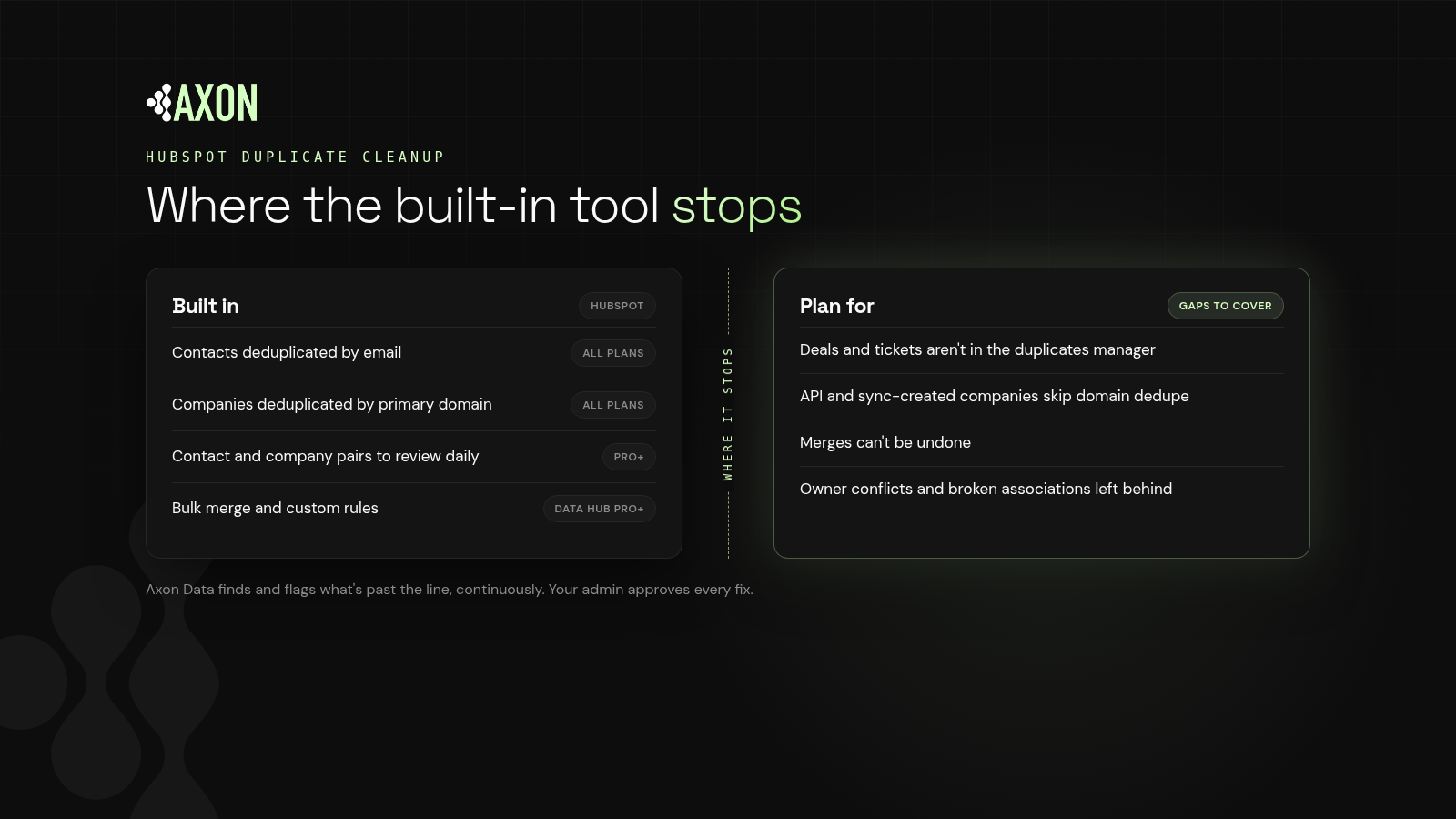
Figure: HubSpot prevents and surfaces many duplicates on its own. The gaps are other objects, records created through the API, irreversible merges, and the ownership and association problems that duplicates leave behind.
Does HubSpot deduplicate records automatically?
Definition: Automatic deduplication is when a CRM blocks or merges a new record at creation time because it matches an existing record on a unique key.
On every plan, HubSpot deduplicates:
- Contacts by email address. A form submission or import with an existing email updates the existing contact instead of creating a new one.
- Companies by primary company domain. Manual creation, forms and imports match on the domain.
Two caveats matter. First, HubSpot's docs note that companies created through the API, including installed third-party sync apps, are not deduplicated by domain. Second, a contact with a different email (a personal address, a typo, a new job) is a new contact. Those are exactly the duplicates that pile up.
How do you use HubSpot's duplicates manager?
The duplicates manager is available on Professional and Enterprise subscriptions.
Step 1: Open Manage duplicates
Go to your contacts or companies, open the menu in the upper right, and select Manage duplicates. You need data quality tools access and edit permissions for those records.
Step 2: Review the suggested pairs
By default, HubSpot compares contacts on first name, last name, email, IP country, phone, zip code and company name. Companies are compared on domain, name, country, phone and industry. HubSpot checks as new records are created, and at least once a day. You can filter by owner, create date, similarity score, last activity and lifecycle stage.
Step 3: Merge or reject
For each pair, choose the record to keep and the property values to keep from each. Reject pairs that aren't real duplicates; rejected pairs won't be suggested again, and you can undo a rejection within 14 days.
Step 4: Merge in bulk (Data Hub)
With Data Hub Professional or Enterprise, you can merge in bulk using criteria such as most recent engagement, created first or most recently updated. Data Hub also raises how many pairs the tool displays: up to 10,000 on other Professional and Enterprise plans, 30,000 on Data Hub Professional and 100,000 on Data Hub Enterprise.
Step 5: Add custom rules (Data Hub)
Data Hub Professional and Enterprise can create custom duplicate rules: up to two per object, with up to nine properties each. Unique IDs from connected systems make good matching properties.
What can't HubSpot's duplicate tool do?
It covers contacts and companies
The duplicates manager reviews contacts and companies. Deals, tickets and custom objects can be matched on import using Record ID or custom unique-value properties, but they don't get suggested duplicate pairs in the manager.
Merges are permanent
HubSpot states that merged records can't be reverted. Records that have been part of a combined 250 or more merges can't be merged again, and merges can fail if the result would exceed association limits.
Key idea: A merge you can't undo deserves a review you can trust. Bulk merging on a simple criterion is fast, but it decides the winning record for you.
It doesn't check what the duplicate broke
Duplicates rarely travel alone. While two company records existed, contacts were attached to one and deals to the other, and different reps may own each. The duplicates manager resolves the pair. It isn't designed to check whether the surviving record's contacts, deals and owners now agree.
Definition: An owner conflict is a mismatch in ownership across related records, such as a contact owned by one rep while its company is owned by another.
Detection is scoped to its rules
The default rule uses a fixed set of properties, and custom rules need Data Hub. Duplicates that differ on those properties, like a company that rebranded or a contact who changed jobs, may never be paired.
How do you stop HubSpot duplicates from coming back?
- Fix the sources. Look at which forms, imports and integrations create most new duplicates. API-created companies are a common source.
- Use unique IDs. Map unique IDs from connected systems to custom unique-value properties.
- Review owners and associations after every merge. Check the surviving record's contacts, deals and owner.
- Make detection continuous (it's check 12 on the agent-ready CRM checklist). A quarterly cleanup lets duplicates build up between passes. Agents and routing rules read them in the meantime.
How does Axon Data help with HubSpot duplicates?
Axon Data is the AI transformation layer for revenue data. It works with any CRM, starting with HubSpot, and runs continuously alongside the tools you already use.
- It finds and flags duplicates, owner conflicts and broken associations, and suggests a fix. Your admin approves, one record or many at once.
- It only auto-writes blank fields and labels, so automation never rewrites records your team owns.
- It labels each record so agents read one consistent answer.
Use HubSpot's built-in tool for what it does well. Use Axon Data to catch what it isn't built to check, every day rather than once a quarter. For a side-by-side view of other options, see the best HubSpot data quality tools for 2026.
Want to see where your CRM stands today? Get a free CRM scan from Axon Data.
What else do people ask about HubSpot duplicate cleanup?
Does HubSpot remove duplicates automatically?
Partly. HubSpot automatically deduplicates contacts by email and companies by primary domain on all plans. Companies created through the API or third-party sync apps aren't deduplicated by domain, and contacts with different emails can still duplicate.
Which HubSpot plan do I need to manage duplicates?
A Professional or Enterprise subscription gives access to the duplicates manager for individual pairs. Bulk merging, custom duplicate rules and higher pair limits require Data Hub Professional or Enterprise.
Can I undo a merge in HubSpot?
No. HubSpot says merged records can't be reverted. You can undo a rejected duplicate pair within 14 days.
What should I check after merging duplicates?
Check that the surviving record's owner matches its contacts and deals, and that deals and contacts are associated with the right company. Owner conflicts and broken associations often survive a merge.
Does Axon Data merge duplicates in HubSpot automatically?
No. Axon Data finds and flags duplicates and suggests a fix. Your admin approves it. Axon Data only auto-writes blank fields and labels.
See where your CRM stands today: duplicates, blank fields, owner conflicts and broken associations.
Get a free CRM scan